
Tech
Top 10 Essential Electronic Components for Beginners and How to Use Them


Introduction
Entering the world of electronics can feel overwhelming with the sheer number of components available. However, by understanding a few basic components, beginners can build a strong foundation for tackling various electronic projects. This guide explores the top 10 essential electronic components for beginners, along with practical tips on how to use each one effectively.
1. Resistors
Resistors are among the most fundamental components in electronics. They limit the flow of electrical current, protecting sensitive parts of a circuit from damage.
- Symbol: Represented by a zig-zag line in circuit diagrams.
- How to Use: Determine the required resistance by using the color-coded bands or by consulting the resistor’s datasheet. For beginners, an online resistor calculator can simplify this process. Place resistors in series or parallel to achieve different resistance values in circuits.
2. Capacitors
Capacitors store and release electrical energy, making them essential for smooth power flow in circuits. They are often used to filter out fluctuations in power supply and store charge temporarily.
- Symbol: Two parallel lines, one straight and one curved.
- How to Use: Pay attention to capacitor polarity (for electrolytic capacitors), as connecting them incorrectly can cause malfunction. Place them near power sources in your circuits to stabilize voltage levels.
3. Diodes
Diodes are components that allow current to flow in only one direction, protecting circuits from potential damage caused by reverse currents. LEDs (Light Emitting Diodes) are a popular type of diode that emits light when current flows through.
- Symbol: A triangle pointing to a line.
- How to Use: Ensure correct polarity by identifying the anode (positive) and cathode (negative) sides. Diodes are often used in circuits to prevent the backflow of current and in power supplies to convert AC to DC.
4. Transistors
Transistors are key components in amplifying or switching electronic signals. They are essential for building amplifiers and can also act as small switches.
- Symbol: A circle with three leads: collector, base, and emitter.
- How to Use: Familiarize yourself with the transistor type (NPN or PNP) and use the correct pins when connecting to a circuit. Beginners can experiment by using transistors to control LED brightness or motor speeds.
5. Inductors
Inductors store energy in a magnetic field when electrical current flows through them. They are mainly used in power supplies and for filtering signals.
- Symbol: A coiled wire in diagrams.
- How to Use: Connect inductors in circuits with capacitors to create filters or in power supply circuits for smoothing. Their role in energy storage helps stabilize current flow, making them crucial in circuits that involve AC signals.
6. Relays
Relays are electrically operated switches that use an electromagnet to control the opening or closing of a circuit. They are useful for controlling high-power circuits with low-power signals.
- Symbol: A switch symbol with a coil nearby.
- How to Use: Connect the relay coil to a low-voltage circuit, which will activate a switch that can control high-voltage devices. Beginners often use relays to control multiple devices or for home automation projects.
7. Potentiometers
Potentiometers are adjustable resistors commonly used to control voltage. They are ideal for applications where adjustable settings, like volume control, are needed.
- Symbol: A resistor with an arrow across it.
- How to Use: Connect potentiometers in circuits where you need to vary the resistance and, consequently, the output signal. For instance, use them in simple LED dimmer circuits or to control audio signals in a speaker system.
8. Switches
Switches are used to make or break circuits, allowing you to control the flow of electricity. They come in various forms, such as push-button, toggle, and rotary switches.
- Symbol: A gap with a line that can connect or disconnect it.
- How to Use: Place switches at the start of circuits to control power. Experiment with different types of switches to create on/off controls or integrate them into more complex devices like alarms or DIY home automation.
9. Integrated Circuits (ICs)
Integrated Circuits are miniature circuits embedded on a semiconductor chip, performing various functions. Common ICs include timers, counters, and amplifiers, such as the popular 555 Timer IC.
- Symbol: A rectangle with multiple pins.
- How to Use: Follow the datasheet for proper pin connections. For beginners, try using a 555 timer IC in a basic LED flashing circuit, a project that helps illustrate the timing function of ICs.
10. LEDs (Light Emitting Diodes)
LEDs are popular components in beginner projects because they provide immediate visual feedback when a circuit is complete. LEDs come in various colors and sizes, making them ideal for indicators.
- Symbol: A diode symbol with arrows pointing outward.
- How to Use: Connect LEDs with a current-limiting resistor to avoid burning them out. Experiment with using LEDs as power indicators in circuits or even in larger displays by connecting them in series or parallel.
Conclusion
For beginners, mastering these ten essential electronic components opens the door to building and understanding countless circuits. Each component plays a unique role, and learning to use them effectively will help you progress from simple projects to more complex designs. Start experimenting with each component in isolation, and then combine them to create circuits that bring your electronic ideas to life!
Tech
Shaping the Future of Global Health: ‘Go Healthy with Taiwan 2026’ Unveils Top 20 Innovators from 62 Nations
Global campaign shatters records with 832 proposals, spotlighting breakthrough solutions in Smart Healthcare and Sports Tech.

The 20 Semifinalists for the “2026 Go Healthy with Taiwan” competition.
The “Go Healthy with Taiwan 2026” global proposal campaign has selected 20 semifinalists from 832 proposals across 62 countries, with two more rounds of selection still to come. The 20 shortlisted teams hail from 16 countries worldwide, including Australia, Brazil, Canada, Ethiopia, France, India, Israel, Japan, Malawi, New Zealand, Philippines, Poland, Spain, Tunisia, Ukraine, and U.S.A., fully demonstrating strong international diversity and innovative energy.
This campaign is organized by the International Trade Administration (TITA), Ministry of Economic Affairs, Taiwan, and implemented by the Taiwan External Trade Development Council (TAITRA). This year’s campaign grew sharply: entries came from 62 countries and totaled 832, up 30% from last year’s 638 entries from 55 countries. The jump shows how many innovators worldwide now want to work with Taiwan’s health and sports technology companies.
The 20 teams work in two areas: 11 projects in Smart Healthcare, such as AI screening tools, remote patient monitoring, and better equipment for clinics, and 9 in Sport Tech & Cycling, such as injury prevention, rehabilitation, exercise for older adults, and safer cycling. The cohort features a rich variety of organization types, mostly companies (70%) with products already on the market, plus NGOs, government bodies, and universities that work directly with patients and communities. They vary in size too: small and mid-sized firms make up 45% of the list, with large companies making up the rest. Whatever the technology, the teams are chasing four goals: finding illness earlier, making care affordable in rural and under-served areas, helping people move safely, and helping older adults stay independent.
Here is how the 20 teams line up against those four goals:
Finding illness earlier
- Horus ML S.L. (Spain) — AI that screens for heart disease risk.
- Masima: Macunaima Solucoes Em Imagens Medicas Ltda (Brazil) — AI-driven quantitative brain CT and MRI analysis developed with Taiwanese digital health platforms.
- Myant (Canada) — smart clothing that tracks vital signs continuously.
- Neodocs (India) — reads a urine test strip with a smartphone to screen for kidney disease in 30 seconds.
- Skin Scan Sp. Z O.O. (Poland) — AI that screens skin lesions.
Making care affordable in rural and under-served areas
- Cardiac Centre Ethiopia Cardiac Centre Ethiopia (The Children’s Heart Fund of Ethiopia) (Ethiopia) — offline-first cardiovascular and NCD clinical decision support for grassroots health centers.
- Municipal Non-Profit Enterprise “Central City Clinical Hospital of Ivano-Frankivsk City Council” (Ukraine) — rebuilding high-standard operating rooms with Taiwanese equipment.
- PragmaClin Research Inc. (Canada) — 3D cameras and AI that measure Parkinson’s symptoms, bringing assessment to rural patients.
- The word for the world in Malawi (Malawi) — IoT water sensors and hydroponic systems to secure safe drinking water and combat child malnutrition.
- Warux Health Ltda (Brazil) — Taiwan’s contactless vital-sign AI built into WhatsApp care services.
Helping people move safely and avoid injury
- ASENSEI Inc. (U.S.A.) — real-time movement analysis for gyms and fitness coaches.
- Be Bike (Brazil) — smart sensors on delivery riders’ e-bikes to cut downtime and fatigue.
- Espace Vélo (Tunisia) — Edge AI in a smart health mobility platform.
- INSEP – Institut National du Sport, de l’Expertise et de la Performance (France) — an injury prevention platform for athletes.
- OfficeMax New Zealand (New Zealand) — smart e-mobility packages for corporate green commuting and employee wellness.
Helping older adults stay active and independent
- E.Tel Communications Pty Ltd (Australia) — wandering detection for people with dementia.
- EnduCloud / Tomer Geminder (Israel) — exercise prescriptions for older adults.
- Sakai Medical Co.,Ltd. (Japan) — Taiwanese equipment that helps older adults live independently.
- Symbio Assistech Pvt LTD (India) — a cabin-sized folding wheelchair built with Taiwanese precision parts.
- UST Technovation Society (Philippines) — smart e-bikes and trainers with biometric monitoring for cardiac and chronic disease rehabilitation.
Because each proposal is built around Taiwanese products and technologies, these ideas also have a clear path from prototype to wide, everyday use.
The 20 semifinalist teams will now work one-on-one with industry experts to improve their proposals. The campaign is scheduled to officially announce the final 6 shortlisted teams in early November. Those 6 teams will be invited to Taiwan to pitch in person. Three of them will be chosen as winners, and each will receive US$30,000. Expectations are high as to who will take home the top honors—stay tuned! For comprehensive details regarding all 20 shortlisted proposals, please visit our official website: https://gohealthy.taiwanexcellence.org/
About the Go Healthy with Taiwan Campaign
“Go Healthy with Taiwan” is a global proposal campaign aimed at connecting global innovators, institutions, and organizations with Taiwan’s health and wellness industry to jointly develop new solutions for health and wellbeing.
The 2026 campaign, themed “Designing Healthier Futures Together,” focuses on Cycling, Fitness & Sports Technology, and Smart Healthcare. Participants are encouraged to incorporate Taiwanese products, technologies, services, or business models into their proposals. Selected participants will receive expert mentorship and have the opportunity to engage with Taiwan’s industry ecosystem.
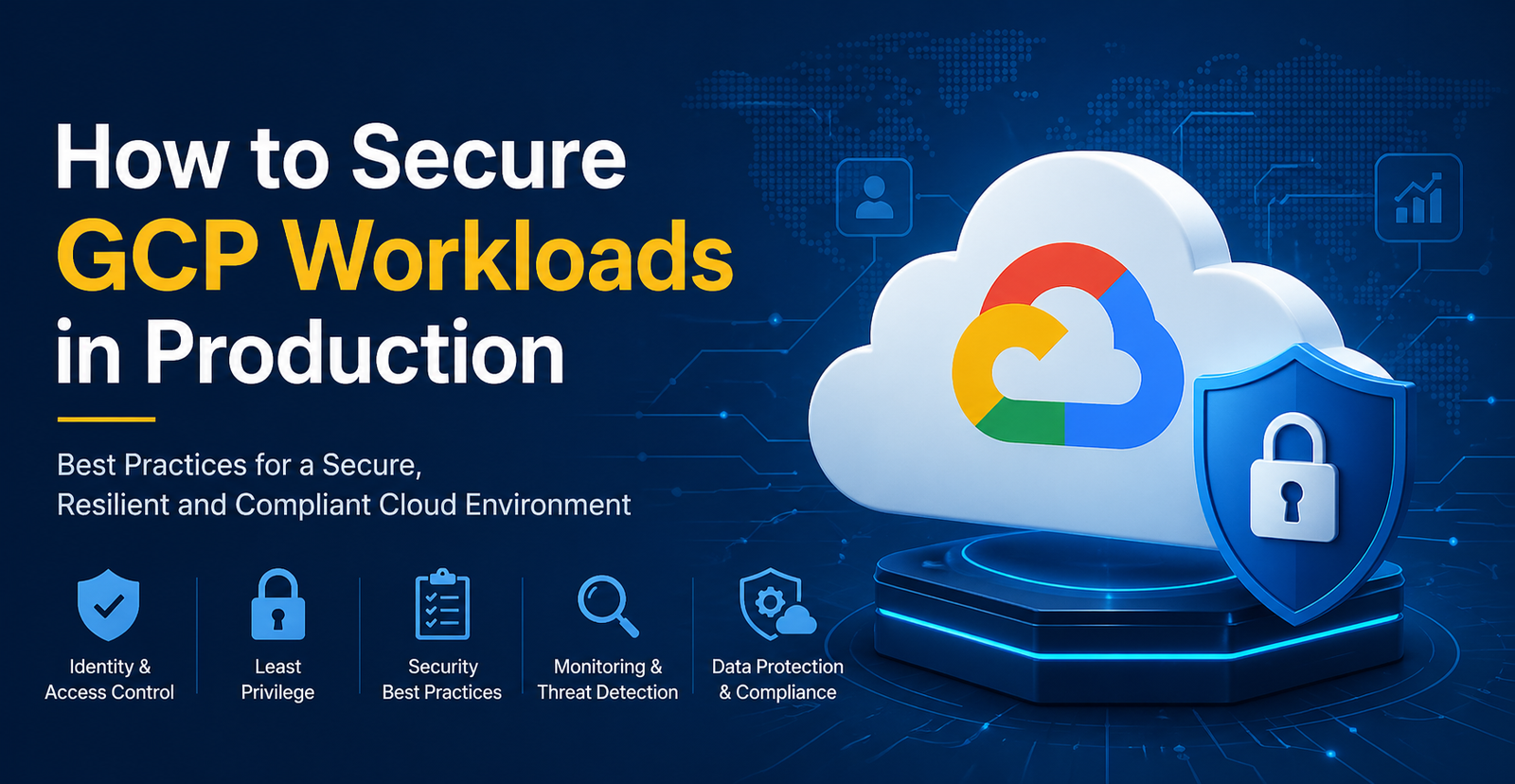
According to Google Cloud, misconfigurations remain the main risk when it comes to running workloads in production on Google Cloud Platform (GCP). In 2025 alone, businesses across various industries faced financial loss of over 10.22 million dollars due to a data breach. This is why securing GCP environments should be treated as an ongoing job and done with diligence.
In this article, we’ll break down how to protect GCP workloads in production and keep your systems safe without turning your workflow upside down. Let’s get right into it.
Build Security on a Strong Identity Foundation
GCP uses Identity and Access Management (IAM) to decide who can do what. While this sounds simple and pretty obvious, this is where most teams trip up. Instead of giving specific roles to each user, group, or service account, they hand out broad roles like Project Editor or similar and end up with too many users having permissions that they don’t need.
Don’t make that mistake. Stick to the principle of least privilege.
- Give users and services only the access they really need, even if that means spending more time on setup.
- Make sure to regularly run the IAM Policy Analyzer to find out what users have what access and how many of them they use, so you can further tighten access control.
- Avoid relying on service account keys.
Once widely popular, these service account keys have become easy prey for cyber attackers who steal them from phishing and infected devices. Instead, opt for Workload Identity Federation and multi-factor authentication.
These simple precautions can help prevent breaches and give you more organized access control.
Segment Your Network Like a Pro
Your network is your first line of defense. If protected, no attacker will be able to get in. This is why segmentation should be given particular attention. Use Virtual Private Clouds (VPCs) for different environments like development, staging, testing, and production workloads. This way, if attackers somehow get into one area, they won’t be able to move across other environments.
Next up, give your attention to VPC Firewalls. Oftentimes, they are set up to allow traffic on all ports, which exposes sensitive data to breaches. Make sure to tweak the setup, ensuring they only allow traffic that is necessary.
For highly sensitive data, you can go a step further and add VPC Service Controls. This will let you draw a perimeter across specific Google-managed services (Cloud Storage, BigQuery, etc.) so that data can only move to approved networks. For example, if someone gains login credentials, they won’t be able to copy data out of that designated VPC security perimeter.
Use Built-In GCP Security Tools Early
Many teams make the mistake of waiting too long before finally deciding to set up security tools. And while GCP offers a solid suite of built-in services for building applications, the intricacies that come with it often limit flexibility and introduce unnecessary challenges. This is why opting for GCP security tools from the outset is often the best decision for many organizations.
Encrypt Data
Data encryption is a vital step in securing sensitive production data. The good news is, GCP automatically encrypts data at rest with Google-managed keys, but as an extra step, especially for regulated industries like healthcare, finance, etc., you can use Customer-Managed Encryption Keys via Cloud KMS on services like Compute Engine disks or BigQuery tables.
To eliminate the risk of possible key theft, ensure that:
- You store these keys along with your important assets, such as personal databases or financial records.
- You run automatic rotation at least once every 90 days.
For application secrets like API keys, certificates, and passwords, use Secret Manager instead of hard-coding them. Google guidance emphasizes the importance of storing “keys, passwords, certificates, and other sensitive data” in managed services, not in code.
Set up tight IAM policies on these secrets. They should only be accessible to developers at runtime and a few admins who’ve been granted access to rotate or delete them. This will add a strong layer of protection to your environment and reduce the chance of misuse or data leaks.
Harden Your Computer Workloads
Lock down the machines and containers themselves. For Virtual Machines (VMs), always use Shielded VMs, which are easy to enable simply by clicking the box on creation. This will enforce secure boot and firmware verification to prevent low-level compromise.
Keep all operating systems and container images patched. If not done already, make sure to enable OS patching or vulnerability scanning. For GKE containers, use tools like Container Analysis or Binary Authorization to scan container images for CVEs and only allow deployment of images signed by your CI/CD pipeline.
Finally, make it a rule to run only essential services on each host and avoid installing all services just in case. Containers and VMs should be treated as single-purpose workloads. For example, if you’re using Kubernetes, don’t run your own SSH daemon in pods.
Continuously Monitor, Audit, and Respond
You can’t fix what you don’t see. This is why it’s vital to continuously monitor what’s happening in your system and make adjustments. Enable Cloud Audit Logs for all admin and data access, and send these logs to a central logging project or SIEM as per Google recommendations. This will help your team spot any sudden new grants and block them from breaking into the workload.
Keep tabs on things like:
- Failed login attempts;
- Unusual traffic spikes;
- Changes in IAM policies.
Use Security Command Center (SCC) Premium to compile a list of all security findings from multiple resources and receive reports on threat detection events. Google stresses that this tool is particularly good at catching broadening of access and permissions, which is often the major reason that leads to breaches.
Make sure to set up alerts for unusual events. Cloud logging can trigger alerts on patterns like IAM roles being changed outside the usual change window or unusually large GCS object reads. Your audits should be thorough and regular.
Final Thoughts
To bring it to the chase, securing GCP workloads in production isn’t a “done-and-forget-it” job. It’s an ongoing work that requires constant attention and adjustments. However, if you combine the right tools, approach, and tight control over everything that happens in your system, the new habit of keeping your system safe can save you millions of dollars that could be lost due to malicious attacks.
We translated 19 brutal MIL-STD-810H lab tests into real-world reliability for job sites. Here’s what it means for your gear.
See how RETEVIS Industrial Two Way Radios like RETEVIS RB48 series prove their reliability. We break down the extreme MIL-STD-810H military testing they pass and what that means for durability on your construction site or factory floor.
The claim of “military-grade” gets tossed around a lot in consumer tech, often with little to show for it. But for companies building tools that people’s safety and livelihoods depend on, that claim needs to be backed by a verifiable pedigree. For RETEVIS Industrial Two Way Radios, that proof comes in the form of a 47-page, third-party test report. Their RETEVIS RB48 and RB648 series radios have been subjected to—and passed—the full gamut of 19 environmental tests outlined in the U.S. Department of Defense’s MIL-STD-810H standard.
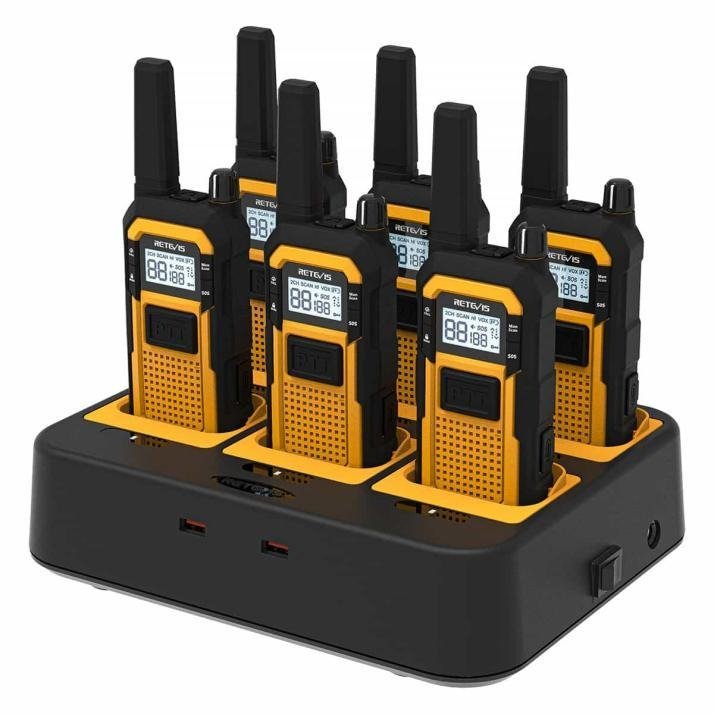
But what does a standard designed for gear that might be airdropped or mounted in a armored vehicle actually mean for a construction foreman, a warehouse manager, or an outdoor adventure guide? We decoded the technical report to translate these brutal lab trials into real-world job site and off-grid reliability.
The Test Chamber as the Ultimate Proving Ground
The official MIL-STD-810H certification, conducted by an accredited lab like GRG Metrology & Test, puts devices through a gauntlet that simulates years of worst-case-scenario abuse in a matter of weeks. For RETEVIS Industrial Two Way Radios, the testing highlights include:
Procedure I – Low-Pressure Operation: The radios functioned normally at an atmospheric pressure equivalent to 15,000 feet of altitude. Real-World Translation: Reliable performance for high-altitude mining, mountain rescue, or aviation ground operations.
Procedure I – Temperature Shock: Units were violently cycled four times between a -40°C (-40°F) deep freeze and a +85°C (185°F) oven in under a minute per transition. Real-World Translation: The radio won’t fail when moved from a freezer warehouse to a sun-baked refinery pipeline or left in a truck overnight in a prairie winter.
Procedure I – Immersion: Submerged in 1 meter of water for 30 minutes. Real-World Translation: It survives being dropped in a mud puddle, used in a torrential downpour, or rinsed off after a dusty shift.
Procedure I & II – Blowing Dust & Sand: Subjected to high-velocity dust and sand storms for multiple hours. Real-World Translation: Internal components stay protected in the abrasive, particulate-filled air of a demolition site, desert oil field, or grain handling facility.
Procedure I & V, VI – Shock and Vibration: Endured repeated 40G and 75G mechanical shock pulses and hours of variable-frequency vibration. Real-World Translation: They withstand the constant jolts inside a heavy machinery cab, the rattling on a forklift, or the impacts from accidental drops on concrete.
“The goal isn’t to create an indestructible brick, but a highly functional tool that is predictably reliable,” explains a RETEVIS engineer. “We design our RETEVIS Industrial Two Way Radios to pass these specific tests because they are a proxy for real-world extremes. If our radios work here, we have high confidence they’ll work for years on a demanding worksite or outdoor expedition.”
Beyond the Battlefield: From Military Spec to “Industrial-Grade” Clarity
This hardware-level toughness is foundational to RETEVIS’s 2026 brand promise: “The Signal Never Drops.” The company is leveraging this engineering credibility to do more than just sell radios; it’s aiming to educate the market. This effort includes the recent release of an “Industrial Wireless Communications Reliability Standard Guide,” a public whitepaper that breaks down device reliability into three clear, actionable tiers.
“Passing MIL-STD-810H is our internal benchmark and the origin of our product’s reliability,” the engineer states. “The public-facing standard is how we help customers choose. Does a campground manager need the same radio as an offshore oil rig mechanic? Probably not. Now there’s a clear framework to understand that difference and select the appropriate RETEVIS Industrial Two Way Radio for the task.”
Why This Matters for Professionals and Outdoor Workers
For businesses, this proven resilience translates directly to lower total cost of ownership (fewer replacements), reduced downtime, and enhanced safety compliance. For expanding user groups like family adventure teams, backcountry hikers, or event organizers, it means trustworthy communication when there’s no cellular signal and conditions get rough.
This move represents a significant shift in a market saturated with buzzwords. By open-sourcing its engineering philosophy and using objectively verified military testing as a baseline, RETEVIS challenges the entire industry to elevate its standards. In environments where a dropped signal means more than static—it could mean a missed safety warning, a delayed critical shipment, or a stranded hiker—this level of transparency and proven performance is becoming essential.
Where to Get the Tested Reliable Comms Gear:
For professionals and prepared individuals seeking this level of verified durability, the RETEVIS RB48 series Industrial Two Way Radios are available for purchase. You can find the latest models and kits on RETEVIS Official Amazon Storefront.
-
 Tech2 years ago
Custom Automotive Parts: Why 5-Axis Machining is the Future
-
Blog1 year ago
Save up to 40% this Prime Day 2025 — Proscenic’s summer-ready vacuums start at just £99
-
 News2 years ago
What Does Senior Home Care Include? A Complete Breakdown
-
 Lifestyle3 years ago
Popular People: Who They Are and Why They Matter
-
 Blog2 years ago
Luxury Denim and Avant-Garde Designs: Discover JUUN.J and Designer Jeans
-
 Music2 years ago
Discover Free Music Downloads on Tubidy: A Comprehensive Guide
-
 Entertainment2 years ago
The Captivating World of luѕт оf тне Dеаd 2
-

 Technology3 years ago
The 5 Great Resilience by Technology And Design – RTD” is scheduled. third edition of the International Scientific Conference